
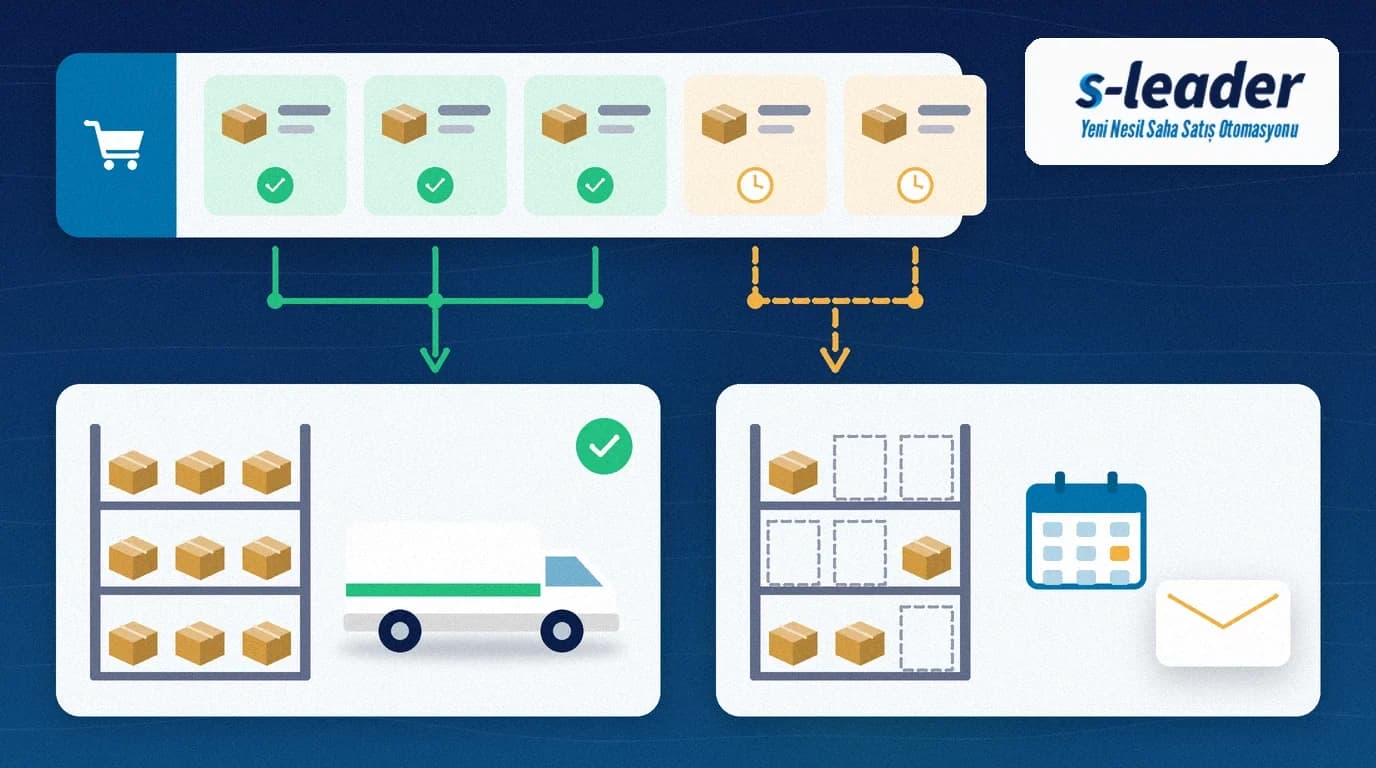
In short: Backorder management means keeping order lines that a customer ordered but that cannot be shipped because of insufficient stock in a separate record, setting and communicating an expected date, and shipping them by a clear rule once stock arrives. The goal is that no missing line is forgotten and the customer always knows what will arrive when.
An order reaches the warehouse and two of its five lines are out of stock. The available lines go out; the missing ones either sit in a list nobody checks regularly or come to light when the customer calls to ask. This guide explains step by step how sales support, the warehouse and sales management can record, prioritise and close backorders.
What is a backorder?
A backorder is the part of an approved order that cannot be shipped because there is no stock, and that the company has committed to ship once stock arrives.
Two situations should not be confused with it. An order that has not been approved yet is not a backorder but an order in the approval process; we covered that in our article on the order approval workflow. A line the customer has cancelled should not stay on the backorder list either; otherwise the list grows and the real commitments disappear in it.
Why do backorders cause problems?
If a missing line is not recorded, the problem usually shows up at the customer. The customer waits for the product, nobody calls, and the next order may go to another supplier. A sales rep enters a new order for the same product, and when stock arrives it is shipped twice. When stock comes into the warehouse and nobody knows who gets it first, it goes to the new orders of that day and the old order keeps waiting.
Management also sees an incomplete picture: backordered lines have not been invoiced yet, so they do not appear in revenue, but they are a promise made to the customer. A sales manager who does not know this amount can misread the gap between target and actual at month end.
Backorder management in 5 steps
1. Decide the partial shipment rule in advance
Should available lines go out immediately, or should the order wait until it is complete? This should not be debated again for every order. Set a default rule and flag customers who want a single delivery on their customer record. The warehouse can then make the right decision without asking anyone.
2. Keep each missing line as a separate, visible record
For every backordered line, one list should show the order number, customer, product, missing quantity, order date and the person responsible for follow-up. The list should not live in an email or a personal spreadsheet, but where sales support, the warehouse and the sales team can all see it at the same time. Seeing stock at the moment of ordering reduces backorders from the start; see our article on stock visibility in field sales.
3. Get the expected date from purchasing and tell the customer
The date given to the customer should be based on information from purchasing or supply, not on a guess. Tell the customer before shipment which line is missing, the expected date and any alternative product. If the date changes, update them. A customer who discovers the gap at delivery loses more trust than the delay itself would cost.
4. Set a priority rule for when stock arrives
The fairest starting rule is order date: first ordered, first served. If there are exceptions, such as key accounts or urgent needs, turn them into a written rule and decide who makes the call. Check the backorder list as soon as goods are received; otherwise incoming stock is spread across the new orders opened that day.
5. Review and close backorders regularly
Review the backorder list every week. For lines that have been open for a long time, talk to the customer and cancel the order, offer an alternative product or give a new date. Record the reason for every closed line: shipped, cancelled or replaced with an alternative. This review can be a short item on the agenda of the weekly sales meeting.
Partial shipment or wait for the complete order?
For the customer: with a partial shipment the available products reach the customer immediately; waiting for the full order means one delivery, but the available products are delayed too. Shipping cost: a partial shipment means a second delivery; waiting for the full order is done in one go. Follow-up effort: a partial shipment requires a backorder list; waiting for the full order still needs tracking, only per order instead of per line. Documents: a partial shipment needs a separate delivery document for each delivery; waiting means one shipment. When it fits: partial shipment suits fast-moving products that are running out on the customer's shelf; waiting suits products used together or sold as sets.
How to reduce backorders from the start
Managing backorders well matters as much as preventing them. Seeing current stock at the moment of ordering lets the sales rep offer the available product or an alternative there and then. A suggested order based on past sales helps enter the right quantity. Regular synchronisation of order and stock data between the field app and the ERP prevents orders being taken against outdated stock figures; we explained this in our article on Logo ERP integration. Finally, sharing the backorder list with purchasing regularly makes sure frequently missing products are reflected in supply planning.
How does S-Leader support backorder management?
In most companies the backorder record and the shipping plan live in the ERP. S-Leader supports the flow of information in the field and at head office. The field team has instant access to customer balances, order history and sales data on site; transactions made in the field can be followed in the web-based BackOffice and in the existing ERP. When used with Logo or Mikro ERP, approved orders are posted to the ERP as records. The report designer lets you build custom reports, and push notifications and team messaging can be used to inform the field team, for example when an expected product arrives in the warehouse.
Summary
Backorder management rests on five rules: decide the partial shipment rule in advance, keep every missing line on a visible list, get the expected date from purchasing and tell the customer, apply a written priority rule when stock arrives, and review and close the list every week. To see how S-Leader can carry order and stock information between the field and head office, get in touch with us.
Sıkça Sorulan Sorular
Is a backorder the same as an open order?
Not always, and the terms vary between companies. An open order usually covers every order that has not been fully shipped yet. A backorder is specifically the part that cannot be shipped because there is no stock and that the company has committed to ship once stock arrives.
When should the customer be told about a missing line?
As soon as the gap is known and before shipment. Tell the customer which product is missing, the expected date and any alternative product. If the date changes, update them.
Which backorder should be shipped first when stock arrives?
The fairest starting rule is order date. If there are exceptions such as key accounts or urgent needs, they should be set out in a written rule, together with who makes the decision.
How long can a backorder stay open?
There is no fixed period that suits everyone. Set a review period for your company; for lines that exceed it, talk to the customer and cancel the order, offer an alternative product or give a new date.