
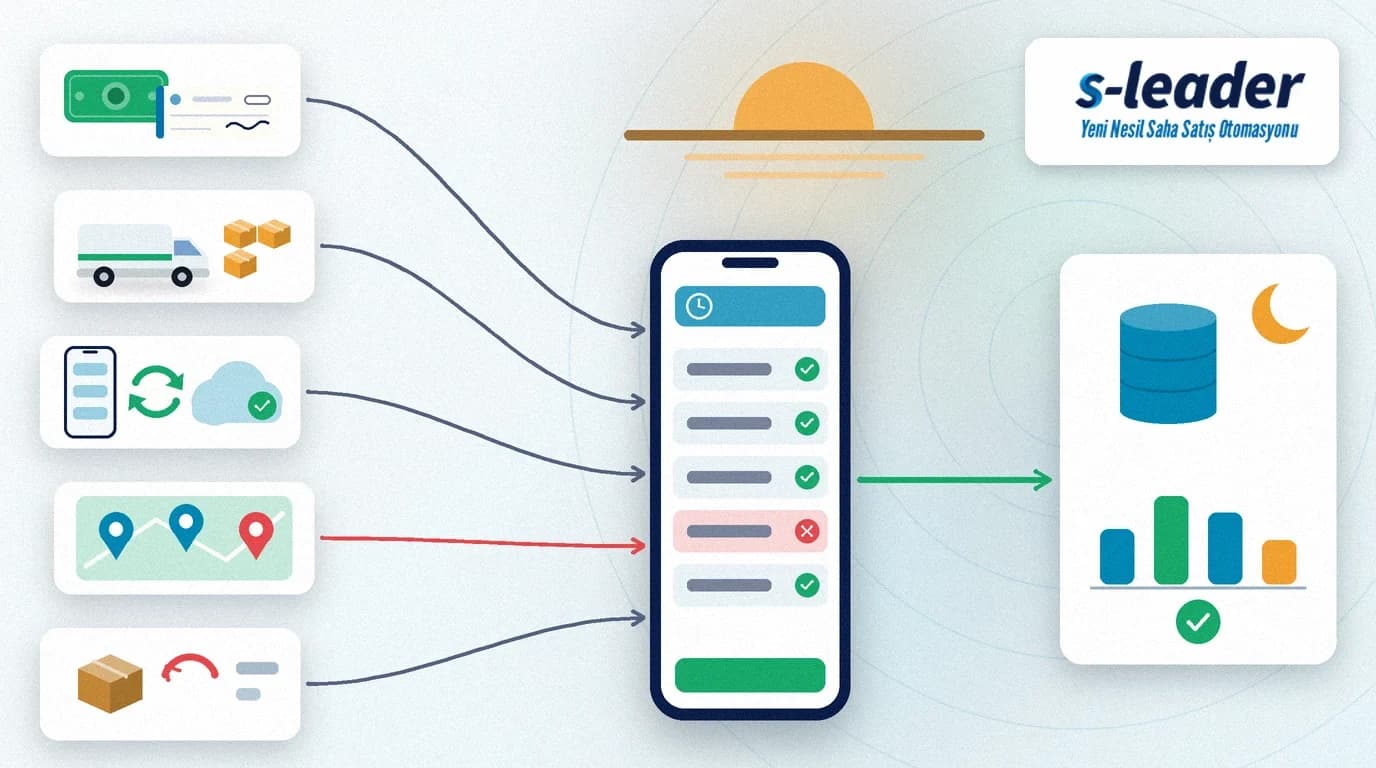
In short: An end-of-day report is the summary a field sales rep closes at the end of the working day, matching the day's collections, orders and documents, van stock, visits and returns against head office. A well-designed end-of-day report makes sure cash and cheques agree with the system, no unsent documents remain on the device, and every customer who was not visited is recorded with a reason.
A rep returns to the depot in the evening with cash, a few cheques and two returned items in the bag, and two orders taken outside network coverage still waiting on the phone. If nobody matches these that day, accounting spots the cash difference the next morning, the warehouse finds the missing stock weeks later at the stock count, and the customer who was skipped drops off the next route. The end-of-day report is a short closing routine that gathers all of this in the same order every evening.
What is an end-of-day report?
An end-of-day report (day close) is the record in which all of a field sales rep's transactions for the day are summarised by their cash, stock and visit effects and reconciled with head office.
It is not a performance report. Indicators such as revenue, coverage or visit productivity are reviewed weekly and monthly; we cover them in our article on field sales team KPIs. The end-of-day report has a more basic purpose: are today's records complete, and do cash and stock agree with the system?
What should an end-of-day report contain?
Collections and cash: cash, cheques and promissory notes, bank transfers and card payments are totalled separately, and every collection shows its receipt number and customer. How to record each payment type in the field is explained in our article on field sales collection tracking.
Orders and documents: the orders taken, the invoices and delivery notes issued and any cancelled documents are listed. At closing, the number of documents waiting to be sent from the device should be zero; for orders taken without a connection see our article on offline field sales.
Van stock: where reps sell from the van, the quantity loaded in the morning, the day's sales and the returns taken back give the quantity that should be left in the van in the evening. For teams doing hot selling (van sales), this is the most important item of the day close.
Visits: planned and completed visits appear side by side. For every customer who could not be visited, a short reason is chosen: closed, no decision-maker present, ran out of time, customer postponed.
Returns and expenses: returned items are listed with their reasons; expenses such as fuel or parking are added with a photo of the receipt.
How does a rep close the day, step by step?
1. Send pending records
Before starting the close, check the device's connection and confirm that pending orders, collections and visit records have reached head office. A cash count made while records are still unsent shows a false difference.
2. Count the cash and match it with the system
Count the cash and compare each cheque and promissory note with its record in the system. Bank transfers and card payments do not enter the cash box, but they must be correctly matched to the right customer. The counted amount and the amount the system expects should appear on the same screen.
3. Count the van stock
If the team sells from the van, count what is left and compare it with the quantity the system has calculated. If counting every product every day is too much, start with fast-moving and high-value products and count the rest on a rotating basis.
4. Close missed visits with a reason
Every planned visit that did not happen should be closed with a reason code. Reason codes decide which customers are added to the next day's route; how to keep visit notes is covered in our article on the field visit report.
5. Hand returns over to the warehouse
Returned and damaged items collected during the day are counted and handed over to the warehouse, which confirms the quantity received. For classifying return reasons, see our article on field sales returns management.
6. Approve and hand in the report
The rep approves the report, and the person receiving the cash confirms the amount to complete the close. An approved report should not be editable; a later correction is added as a separate record.
What if there is a cash or stock difference?
A difference should never be closed by simply correcting the figure. First a second count is made, then the difference is recorded with its reason and sent to the supervisor for approval. Many differences turn out to come from a return that was not recorded in the field, a quantity entered wrongly or a payment booked to another customer, so the first question should not be who made a mistake but which record is missing.
Differences that keep recurring for the same rep or the same product point to a problem in the process. Reviewing them weekly achieves more than chasing individual incidents.
How should head office use the end-of-day report?
Accounting matches the collections with bank transactions and customer accounts the next morning. The warehouse sees the stock left in the vans and the returns and plans the next day's loading. The sales manager moves missed customers onto the next day's route and sees where the day ended against target; we cover daily target tracking in our article on sales quota progress.
End-of-day report checklist
Records: no unsent orders, collections or visit records on the device. Cash: cash, cheques and promissory notes counted; they agree with the system or the difference is recorded with a reason. Stock: van stock counted, returns handed over to the warehouse. Visits: every missed visit has a reason code. Approval: the rep and the person receiving the cash have approved the report.
Closing the day with S-Leader
In the S-Leader field sales app, order, collection, stock and visit data live in one mobile flow, which makes it easier to build the end-of-day summary from these records without a separate list. At ÇAP Teknoloji we design your day-close steps with S-Leader to match your cash handover, stock count and approval rules. Get in touch to discuss your process.
Sıkça Sorulan Sorular
Should an end-of-day report be done every day?
Yes. For teams carrying cash, cheques and van stock, closing every working day means differences are found while they are small and the reason is still remembered. A weekly close makes the source of a difference much harder to find.
What is the difference between an end-of-day report and a visit report?
A visit report records what was discussed and done during a single customer visit. The end-of-day report summarises all of the day's visits, collections, documents and stock movements and reconciles them with head office.
What should a rep do when there is a cash difference?
Not correct the figure by hand, but make a second count and record the difference with its reason. The difference is closed with the supervisor's approval. Often the cause is an unrecorded return or a payment booked to the wrong customer.
Can the day be closed without an internet connection?
Counts and reason codes can be completed on the device, but approving the close requires all records to have reached head office. Otherwise the figures at head office are incomplete and the difference looks wrong.