
Offline Field Sales: How Reps Take Orders Without Internet
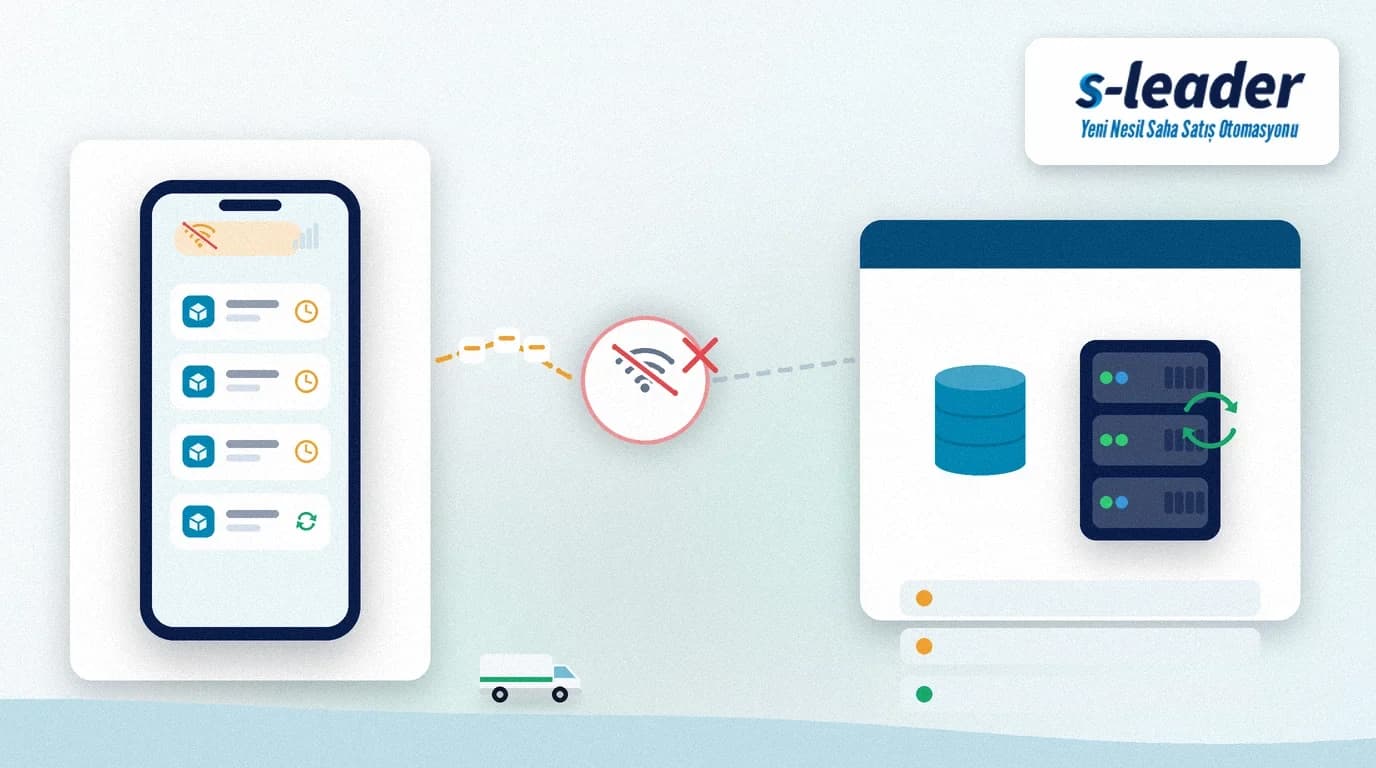
In short: Offline field sales means the rep keeps orders, a stock snapshot and the customer card locally in the app when there is no internet or mobile data on the visit, then sends those records to the centre (ERP / S-Leader server) with store-and-forward when connectivity returns. Without offline mode, weak-coverage visits stall and paper returns.
In distribution many outlets sit far from the warehouse or city centre. Lifts, basement markets, industrial parks or mountain roads — signal drops. Even if central stock is correct, if the rep cannot write the order on the spot, the sale is lost or re-keyed in the evening; errors and delay grow.
Quick summary
- The app caches price lists, a customer balance summary and last-known stock on the device.
- Orders written offline go to a local queue and sync automatically when online.
- Conflict rules (duplicate order, stock that moved) are defined up front.
- The rep sees an “offline / last sync time” warning on screen.
- Management reports which routes stay offline most often.
What is offline field sales?
Offline field sales means the mobile field app does not assume a permanent connection. The device downloads what the visit needs in advance (or at the last successful sync); the rep builds the order locally. When connectivity returns, the queue is sent one by one or in a batch.
This is not “writing live to the ERP with zero internet”. Live writes break on weak networks. Store-and-forward guarantees the capture first, then moves it to the centre with integrity checks.
Why it matters
Lost visits
If no signal means no order, the rep waits or scribbles on paper. Notes are forgotten or misread in the evening; the customer says “my order never arrived”.
Paper and double entry
Teams without offline mode run paper forms plus office ERP keying — double work. Wrong SKUs, wrong discounts and missing lines start here.
Route efficiency
If weak-coverage areas are not planned for, half the day becomes “waiting for a signal”. Offline mode stops the route being hostage to the coverage map.
How offline ordering works
1. Cache (catalog + customer + rules)
Price lists, promotion rules, customer limit summaries and product cards download to the device. Refresh frequency is a business rule (e.g. first online in the morning, then periodic).
2. Local order queue
Orders opened offline are written to a locked queue on the device. The rep can edit drafts; delete/cancel rules are separate.
3. Store-and-forward sync
When online, the app sends the queue to the server. Successful records are marked; failures (e.g. insufficient stock) return with a warning for the rep to fix.
4. Conflicts and stock reality
An offline order may meet changed stock or credit limits in the centre. Soft warning, automatic split or manager approval — the rule is written beforehand.
5. Security
On a lost/stolen device the cache must be encrypted; logout should clear session and local data. Offline is not a security exception.
Setup checklist
- Are the datasets (price, stock summary, balance) that land on the device agreed?
- Are cache refresh frequency and the “last sync” warning accepted?
- Is stock/limit conflict a warning, a block or an approval path?
- Is there a lost-device procedure (remote session kill)?
- Does training cover offline icons and the queue screen?
Offline field sales with S-Leader
S-Leader supports taking orders in weak-coverage areas; records sync to the centre when connectivity returns. Reps do not have to abandon the visit; the office escapes re-keying from paper.
Offline field sales turns the “4.5G everywhere” assumption into a business rule. A mobile app that matches field reality protects both revenue and data quality.
At ÇAP Teknoloji we set up end-to-end offline order flows for field teams with S-Leader. Get in touch for a demo or discovery call.
Sıkça Sorulan Sorular
Is offline field sales the same as hot-selling?
No. Hot-selling is about delivering from the van on the spot; offline is about capturing orders/data without a network. Hot-selling can also run offline, but the concepts differ.
Is stock always correct offline?
No. The figure on screen is the sellable balance at the last sync. Show a staleness warning; critical SKUs can cap quantity or require an online check.
What if an order is sent twice?
A solid store-and-forward design gives every local record a unique id; the server ignores a second submit of the same id. You still need a conflict report and a rep warning.
Must the whole catalogue sit on the phone?
Usually not. Price lists, active SKUs and customer summaries for the rep’s route and rights are enough. An oversized cache is both a security and a performance risk.