
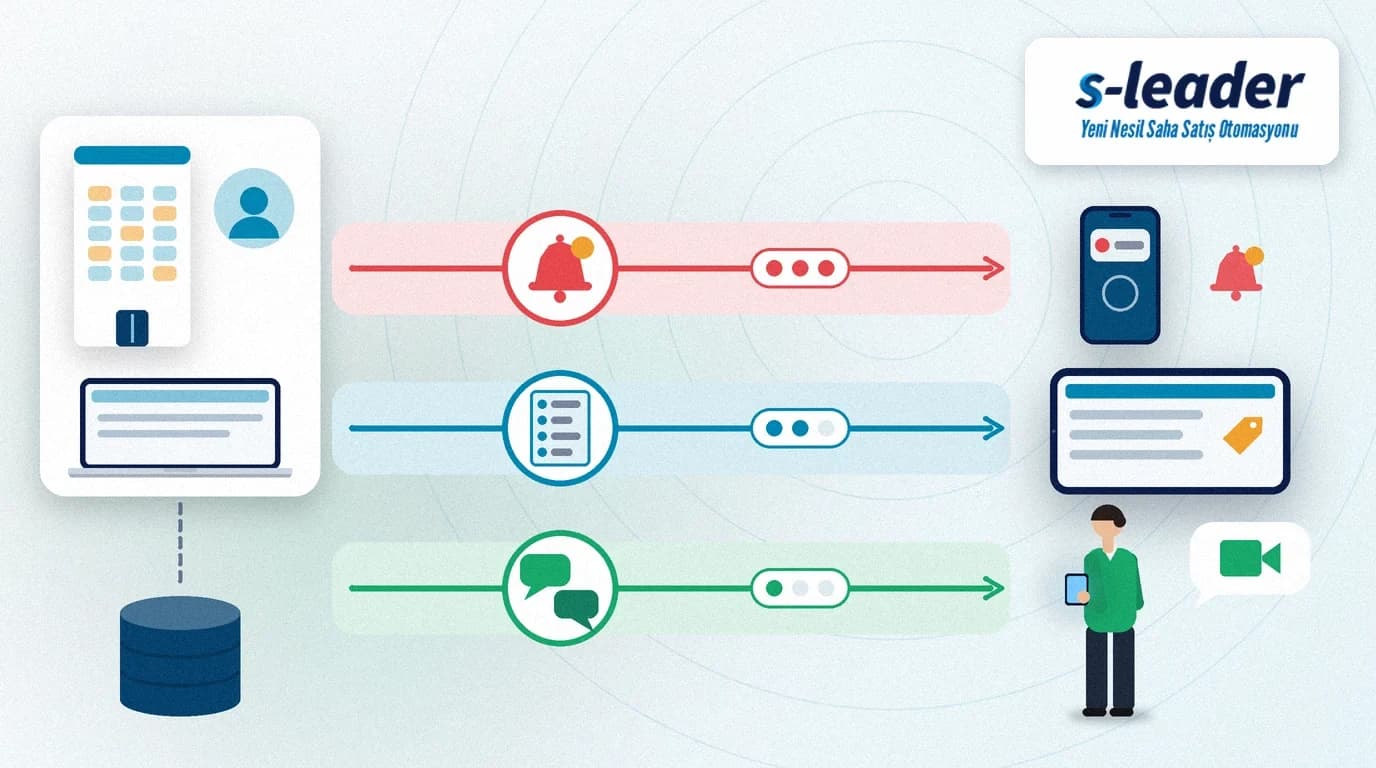
In short: Field team communication means running announcements from head office, urgent alerts and one-to-one conversations through defined channels and rules. In a good setup every type of information has its channel, announcements follow a short template and the record is kept in one central place. That way reps have the right information in hand while they are standing in front of the customer.
The price list changes in the morning. The sales manager posts it in a chat group and phones a few reps. In the afternoon one rep, who never saw the message, quotes the old price to a customer. In the evening a stock alert, a birthday greeting and a route change land in the same group one after another, and the important one gets lost. The problem is not the team; it is communication without rules.
What is field team communication?
Field team communication is the set of rules that decides through which channel, to whom, when and in what form information flows between the office and the sales reps in the field.
It runs in three directions: announcements from head office to the field, feedback from the field to head office, and one-to-one conversations between reps and managers. If all three flow through the same channel, none of them stays visible enough.
Why does field team communication get messy?
The most common reason is that everything runs through general-purpose chat groups. Business information and small talk sit in the same stream, old announcements are hard to find, and a leaving employee may take a copy of the conversations with them.
The second reason is that urgency is not distinguished. When every message arrives in the same tone, reps mute notifications, and the truly urgent stock or price alert is missed too. The third reason is that information lives outside the sales app: the promotion is in a message, the price in a separate file, the customer data in the app, and the rep tries to piece it together in front of the customer.
Which information should go through which channel?
Urgent information that affects everyone: A product that has run out, a delivery disruption or a price change valid the same day should go out as a push notification. As the Android developer documentation explains, notifications are designed to give users timely information and reminders even when the app is not in use at that moment.
Promotion and price information: You can announce it, but its real home is the order screen. If the rep sees the promotion while entering the order, mistakes drop. We cover the details in our article on promotion and discount management in field sales.
One-to-one questions and approvals: A special condition for a customer, an order question or a leave request should run through a written message that stays on record. For issues you need to see, such as a shelf or product problem, a video call gets results faster.
Daily status and targets: Reps do not need a separate message to see where they stand during the day; target and progress should be visible in the app and the day should close with an end-of-day report.
Congratulations and recognition: Celebrating success supports motivation, but it should not crowd the channel used for urgent alerts. To make recognition systematic, see our article on sales gamification.
A 6-step setup for field team communication
1. Write down the channels and their purpose
Turn the decision on which information goes by notification, by announcement or by one-to-one message into a one-page rule and share it with the team. If the rule is not written down, everyone follows their own habits.
2. Use a short template for announcements
Every announcement should answer four questions: What changed, who is affected, from when is it valid and what does the rep need to do? These four lines are read faster than long explanations and reduce misunderstandings.
3. Narrow the audience
Do not send a route change for one region to the whole team. Sending by region, team or customer group stops reps from learning to ignore messages that do not concern them.
4. Define urgency levels
For example, use three levels: must read now, read during the day, and for information only. Reserve push notifications for the first level. Outside working hours, send notifications only for truly urgent matters.
5. Ask for a response
For announcements that require action from the rep, ask for a short reply or confirmation. Contact anyone who has not replied one to one during the day. This closes the gap between "I announced it" and "everyone knows".
6. Keep the record central
Storing announcements and business conversations in a system the company controls lets a new rep see past decisions and lets you go back to the record in a dispute. Tell employees clearly that conversations are monitored, and ask your legal adviser about your data protection obligations.
Common mistakes
Posting everything in one group: Urgent information gets lost among chat and congratulations.
Sending every message as urgent: Reps switch off notifications and the truly urgent one is not heard.
Announcements without context: "Prices have changed" is not enough; say which products, from which date and how it will look on the order screen.
Losing information from the field: If a competitor's promotion or a product complaint the rep heard from a customer stays in a phone call, management cannot see it when deciding. Information from the field should also go into a written, central record.
Ignoring poor connectivity: In areas with a weak signal, messages may be delayed. Keep critical information in the app so it is also visible after the next sync; we covered this in our article on offline field sales.
Field team communication with S-Leader
In the S-Leader field sales app, announcements, notifications and internal messaging sit together. Push notifications deliver urgent announcements to reps even when the app is closed; team members can communicate in writing or by video, and conversations can be monitored through the BackOffice. Promotions are shown to the rep while the order is taken, and virtual assistant notifications help with target tracking. This keeps communication inside the sales app reps already use. At ÇAP Teknoloji we set up the channel rules and announcement routine together with your team. For a free demo, get in touch.
Summary
Field team communication depends less on the amount of information than on how it is organised. Define a channel for each type of information, write announcements with a four-question template, narrow the audience, reserve push notifications for truly urgent matters, ask for a response when action is needed and keep the whole record in a system the company controls.
Sıkça Sorulan Sorular
Isn't a chat group enough for a field team?
It can work as a start for small teams, but because business information and chat share the same stream, important announcements get lost and the record is not under company control. Separating channels and rules reduces this problem.
When should push notifications be used?
For urgent information that affects the rep's work the same day, such as stock, prices or deliveries. If every message is sent as a notification, reps mute them and the truly urgent information is missed.
How do you write a good field announcement?
Answer four questions in short sentences: what changed, who is affected, from when it is valid and what the rep needs to do. For announcements that require action, ask for a short confirmation.
Should conversations with the field team be kept on record?
Keeping business conversations in a system the company controls lets new employees see the history and lets you return to the record in a dispute. Inform employees and consult your legal adviser about data protection obligations.