
New Customer Setup in Field Sales: Open Accounts Right the First Time
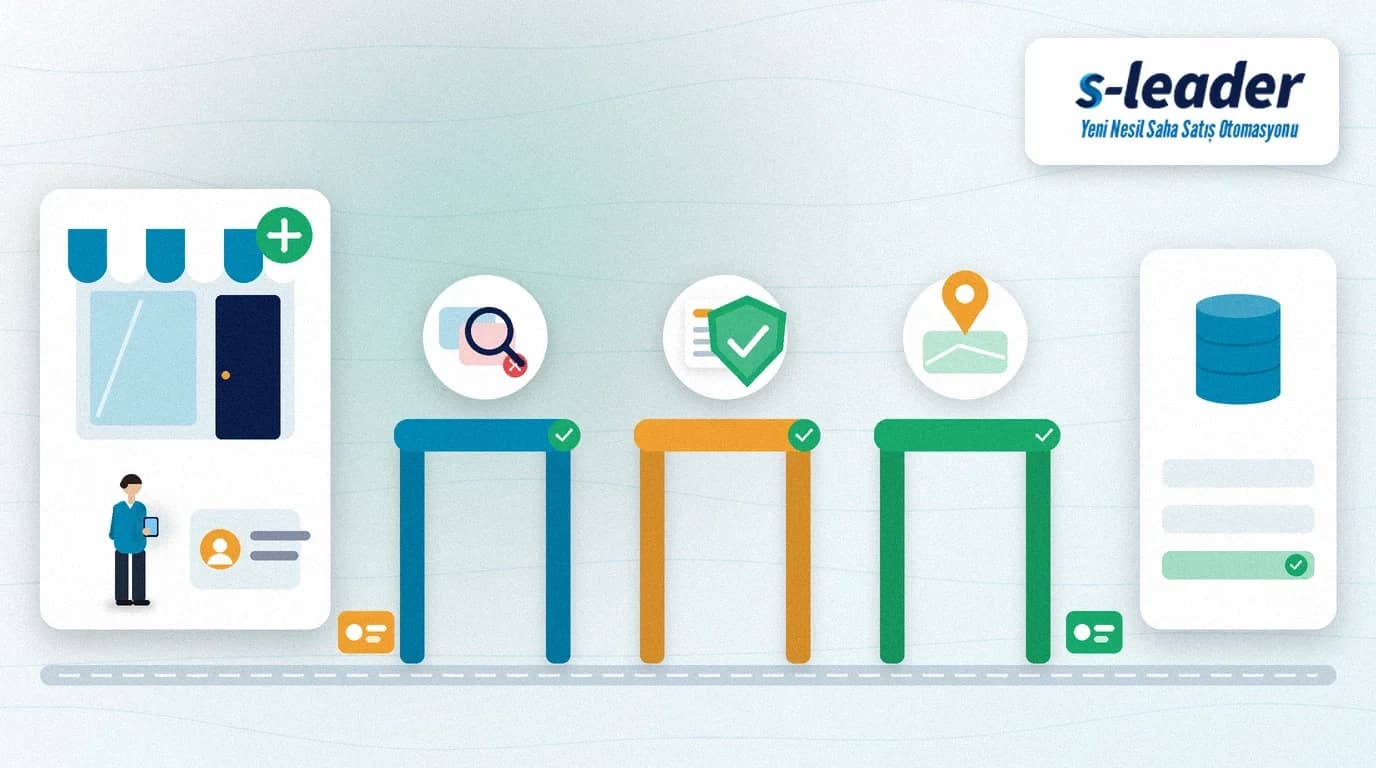
In short: New customer setup is the creation of a customer account in the ERP with its legal name, tax, address and commercial terms. For reliable new customer setup in the field, the rep searches for an existing account first and enters the tax ID and location in full, while the back office approves commercial fields such as price list, payment terms and credit limit.
A rep signs a new corner shop and wants to take the first order, but the customer is not in the system. The details end up on a scrap of paper, in a chat message or in a phone call, and the office creates the account in the evening. The legal name is misspelled, the same customer is created twice, and nobody knows which invoice type applies. The result: a delayed first delivery, a rejected invoice and a split customer history.
What is new customer setup?
New customer setup means identifying a customer or dealer with one single identity across accounting and sales systems. The account holds the registered legal name, the tax ID (in Türkiye a 10-digit VKN for companies or the 11-digit national ID number for individuals), the tax office, billing and delivery addresses, the contact person and commercial terms such as price list, payment terms and credit limit.
An account opened in the field differs from one opened in the office in one important way: the rep is closest to the source. The rep sees the tax certificate, the real shop location and the contact person. A well-designed field flow therefore makes the customer account more complete from the start.
What goes wrong most often with accounts opened in the field?
Duplicate accounts: The customer already exists under a branch name or was created by another rep. A balance split across two accounts breaks collection and credit control.
Wrong legal name or tax number: The name on the shop sign often differs from the registered name on the tax certificate. Invoices must carry the registered name.
Unclear invoice type: If nobody knows whether the customer is a registered e-invoice user, the first invoice may be issued in the wrong format.
Missing address and location: A delivery address written as directions leaves drivers searching, and route plans are built on guesswork.
Undefined commercial terms: Without price list, payment terms and credit limit, the first order is either priced wrongly or stuck in approval.
New customer setup, step by step
1. Search first, then create
Before opening a new account, search by tax ID or national ID, phone number and part of the name. If there is a match, add a new delivery address or branch to the existing account instead. This one habit stops most duplicates at the source.
2. Enter tax details from the document
Copy the legal name, tax office and tax ID exactly from the tax certificate or an invoice, and keep the shop's trading name in a separate field. If the number has the wrong length, the account should not be saved.
3. Check the e-invoice status
In Türkiye, the Revenue Administration (GİB) publishes the list of users registered for e-invoicing. Checking this at setup tells you whether the first invoice will be an e-invoice or an e-archive invoice. See the GİB e-document registered users page for the current list; if your ERP runs this check itself, link the field step to it.
4. Write the address, drop the pin
Keep billing and delivery addresses in separate fields and save the location pin while standing in front of the shop. The location puts the customer on the right route; field sales route planning does not work well without it.
5. Assign commercial terms centrally
Price list, discount group, payment terms and credit limit are company policy, not fields a rep should type by hand. In the field, the rep picks only the customer type or segment; the default terms follow from that choice, and exceptions go to back-office approval.
6. Draft account, approval and ERP transfer
The account is opened as a draft in the field, checked by the back office and transferred to the ERP once approved. To keep the first order from getting lost while it waits, manage account approval and order approval in the same flow; we explain the setup in our article on the order approval workflow. For the ERP-side sync logic, see Logo ERP integration.
Which fields belong to the field, which to the back office?
The rep's responsibility: Legal and trading name, tax office and number, billing and delivery address, location pin, contact person and phone, customer type, and a photo of the tax certificate if required.
The back office's responsibility: Price list, discount group, payment terms, credit limit, accounting code, rep and route assignment, and approving the account.
This split keeps the field fast while taking commercial decisions off the rep's shoulders. Where coverage is weak, the draft account can stay on the device and be sent when the connection returns; we cover that model in offline field sales.
Contact person data and privacy
The contact person's name, mobile number and email are personal data. Decide which data you collect and why, who can see it and how long it is kept, and remove fields you do not need. Follow the data protection law that applies to you, such as the KVKK in Türkiye or the GDPR in the EU.
New customer setup checklist
Search: Was a duplicate check by tax ID or national ID, phone and name done before creating the account?
Tax: Were the legal name, tax office and number taken from a document, and was the number length validated?
Invoice type: Is it clear whether the customer is a registered e-invoice user?
Address and location: Are billing and delivery addresses separate, and was the pin taken at the shop?
Commercial terms: Do price list, payment terms and credit defaults come from the segment, with exceptions routed to approval?
Approval: Does the account move from draft to approval to the ERP in one flow, with the first order held meanwhile?
New customer setup with S-Leader
In the S-Leader field sales app, customer, visit and order data live in one mobile flow. At ÇAP Teknoloji we design the new-customer steps with S-Leader to match your ERP account structure, approval rules and route plan. Get in touch to discuss your process.
Sıkça Sorulan Sorular
Should reps be able to open customer accounts in the field?
Reps should be able to enter identity, tax, address and location details in the field, but the account should start as a draft, and commercial terms such as price list, payment terms and credit limit should be confirmed only after back-office approval.
How do you prevent duplicate customer accounts?
The most effective step is to search by tax ID or national ID, phone number and part of the name before creating a new account. If there is a match, add a branch or delivery address to the existing account instead.
How do I know whether a new customer is a registered e-invoice user?
In Türkiye, the Revenue Administration (GİB) publishes registered e-invoice users on its e-document site, and many ERPs run this check internally. Settling it at account setup means the first invoice is issued in the right format.
Should a photo of the tax certificate be mandatory?
It does not have to be mandatory, but it reduces name and number errors for new customers. If you take the photo, use it only to verify the account and restrict who can access it.