
Electronic Proof of Delivery: Capturing Signature and Photo in the Field
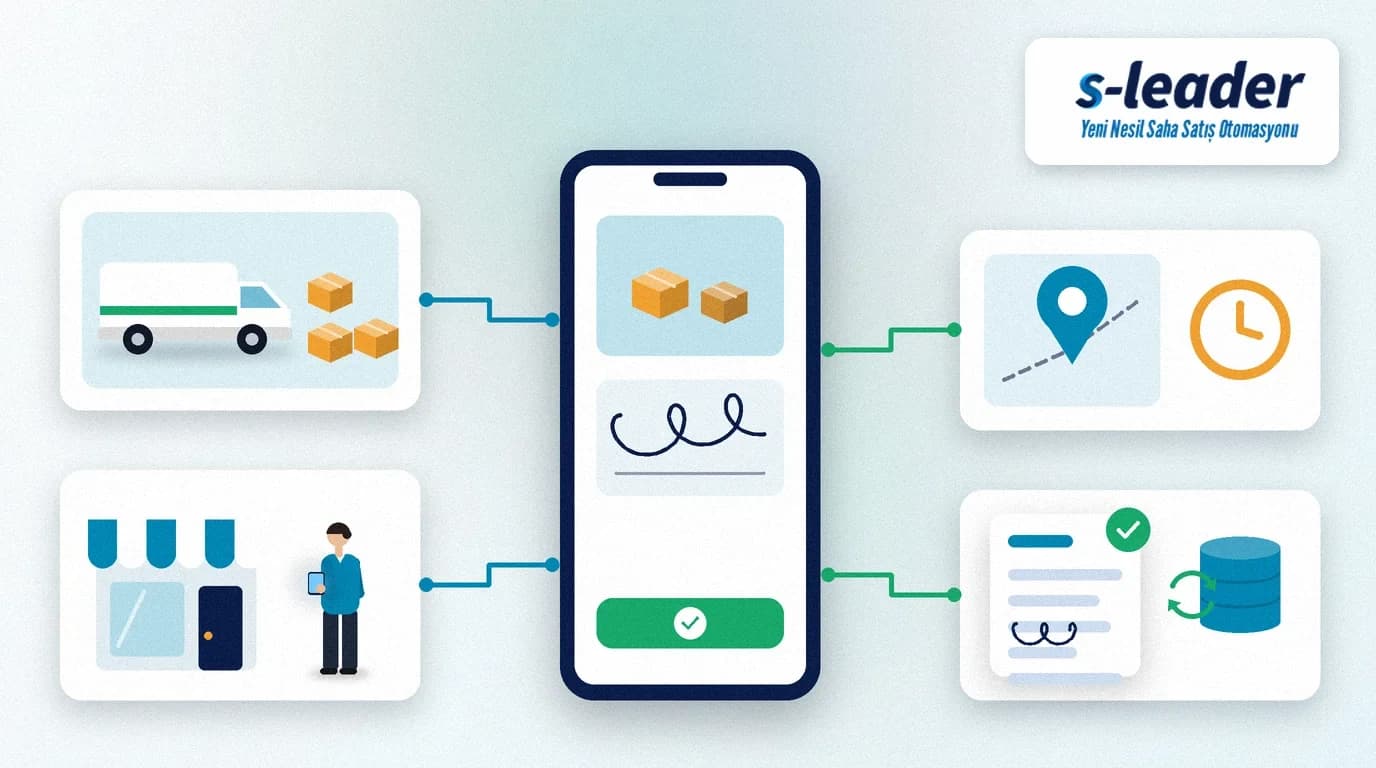
In short: Electronic proof of delivery (ePOD) is a delivery record captured on a mobile device at the moment of handover: the customer's signature, a photo of the goods, the location and the time, all linked to the order. Its purpose is to settle "it never arrived", "it was short" or "it was damaged" disputes quickly, from the record, without hunting for a paper copy.
In distribution, proof of delivery is often a paper copy that travels in the van, is signed by the customer and makes its way back to the office weeks later. Copies get lost, signatures are illegible and nobody knows who actually received the goods. When a dispute comes in, payment stalls and sales, logistics and accounts all ask each other the same question: "Was this really delivered?"
Summary
- The delivery is captured in one record: signature, recipient name, photo, location and time.
- The record is linked to the order or delivery note lines; partial deliveries and differences are entered with a reason.
- Customer disputes are answered from the record within minutes.
- Without a connection, the record is kept on the device and sent when the signal returns.
- Personal data and legal weight are clarified up front.
What is electronic proof of delivery?
Electronic proof of delivery means the rep or driver documents the handover in a mobile app. The customer signs on screen, the recipient's name is entered and a photo of the delivered boxes is taken; the app adds the location and time itself. The record is linked to the order immediately and is visible at head office.
It matters most in van sales, where order, stock and delivery happen in a single visit; we described that model in our article on hot selling and van sales. In pre-sales distribution, where orders are delivered a day later, the delivery team needs exactly the same record.
An electronic proof of delivery does not replace legal documents such as delivery notes or invoices. It complements them with evidence of the moment of handover.
Why it matters
Disputes and payment
A line that cannot be proven as delivered is harder to collect. With a record, a dispute is closed by showing the signature and photo, and the collections team can keep working. We cover the collections side in field sales collection tracking.
Short and damaged deliveries
If a missing box or a damaged product is recorded at the door with a photo and a reason code, the return and redelivery process starts correctly. For taking damaged goods back, see returns management in field sales.
Office workload
Collecting, scanning and filing paper copies is real work. With a digital record that step disappears, and you search by order number instead of by folder.
What the delivery record should contain
- Signature and recipient name: it must be clear who accepted the goods.
- Photo: a clear picture of the delivered boxes or the product on the shelf.
- Location and time: added automatically by the device.
- Delivered lines: quantities matched to the order lines, including any differences.
- Notes and dispute field: shortages, damage or comments raised by the customer on the spot.
How to set up electronic proof of delivery
1. Match delivery lines to the order
The delivery screen should show the lines of the order or delivery note. The driver only enters differences; re-typing every line is slow and error-prone.
2. Define partial deliveries and reason codes
Use fixed reason codes such as "short loaded", "damaged" or "refused by customer". Free text cannot be reported on; codes show whether the same issue keeps recurring on one route or from one warehouse.
3. Decide your photo rule
Is a photo required on every delivery, or only on deliveries with a difference or a dispute? Set the rule according to your risk and make it a mandatory field in the app.
4. Handle personal data properly
Signatures, names and photos can be personal data. Decide what you collect and why, how long you keep it and who can access it, and inform the people concerned. Check the data protection rules that apply in your country before rollout.
5. Plan for offline use
A delivery record should never be left half-finished in a basement shop or an area without coverage. The record must be stored on the device and sent once the connection returns; we explain that model in offline field sales.
Legal weight: what to keep in mind
A signature drawn on screen is strong operational evidence. In the EU, electronic signatures and trust services are governed by the eIDAS Regulation, under which an electronic signature cannot be refused as evidence merely because it is electronic, but only a qualified electronic signature has the same legal effect as a handwritten one. Treat electronic proof of delivery as evidence that the delivery took place, and ask your legal adviser about transactions with a high dispute or contract risk.
Common mistakes
- Capturing only a signature: without the recipient's name and a photo, the signature alone may not settle a dispute.
- Not recording differences: if a partial delivery closes as "complete", stock and receivables go wrong.
- Free-text reasons: the source of the problem cannot be reported.
- Not linking the record to the order: a photo in a separate folder cannot be found when the dispute arrives.
- Ignoring personal data: retention periods and access rights stay undefined.
Checklist
- Does the delivery screen show the order or delivery note lines?
- Are signature, recipient name, photo, location and time in one record?
- Are fixed reason codes defined for partial deliveries?
- Is it clear when a photo is mandatory?
- Are retention periods and access rights for personal data written down?
- Is the record kept on the device and sent later when there is no signal?
Delivery records with S-Leader
In the S-Leader field sales app, order and visit data is kept on the mobile device and synchronised with head office. When you add the delivery step to that flow with signature, photo, location and reason codes, the order, the delivery and the payment can be traced along the same record chain. How orders with a discount or credit-limit exception are approved before delivery is covered in our order approval workflow article.
At ÇAP Teknoloji we set up electronic proof of delivery for your distribution teams with S-Leader, aligned with your ERP and collections process. Get in touch for a demo or discovery call.
Sıkça Sorulan Sorular
Does electronic proof of delivery replace the delivery note or invoice?
No. It is an operational record that holds evidence of the handover. Legal documents such as delivery notes and invoices are still issued separately; the delivery record complements them.
Is a signature drawn on a screen legally valid?
It is strong evidence that the delivery took place, and under the EU eIDAS Regulation an electronic signature cannot be refused as evidence just because it is electronic. Only a qualified electronic signature, however, has the same effect as a handwritten one, so ask your legal adviser about high-risk transactions.
Do we need a photo on every delivery?
Not necessarily; it is a business rule. Many companies only require a photo for partial deliveries, damage or disputes. Set the rule according to your risk and make it a mandatory field in the app.
How is a delivery confirmed without internet?
The mobile app stores the signature, photo and delivery details on the device and sends the record to head office once the connection returns. The location and time still belong to the moment of handover.