
Returns Management in Field Sales: How to Track Damaged and Expired Goods
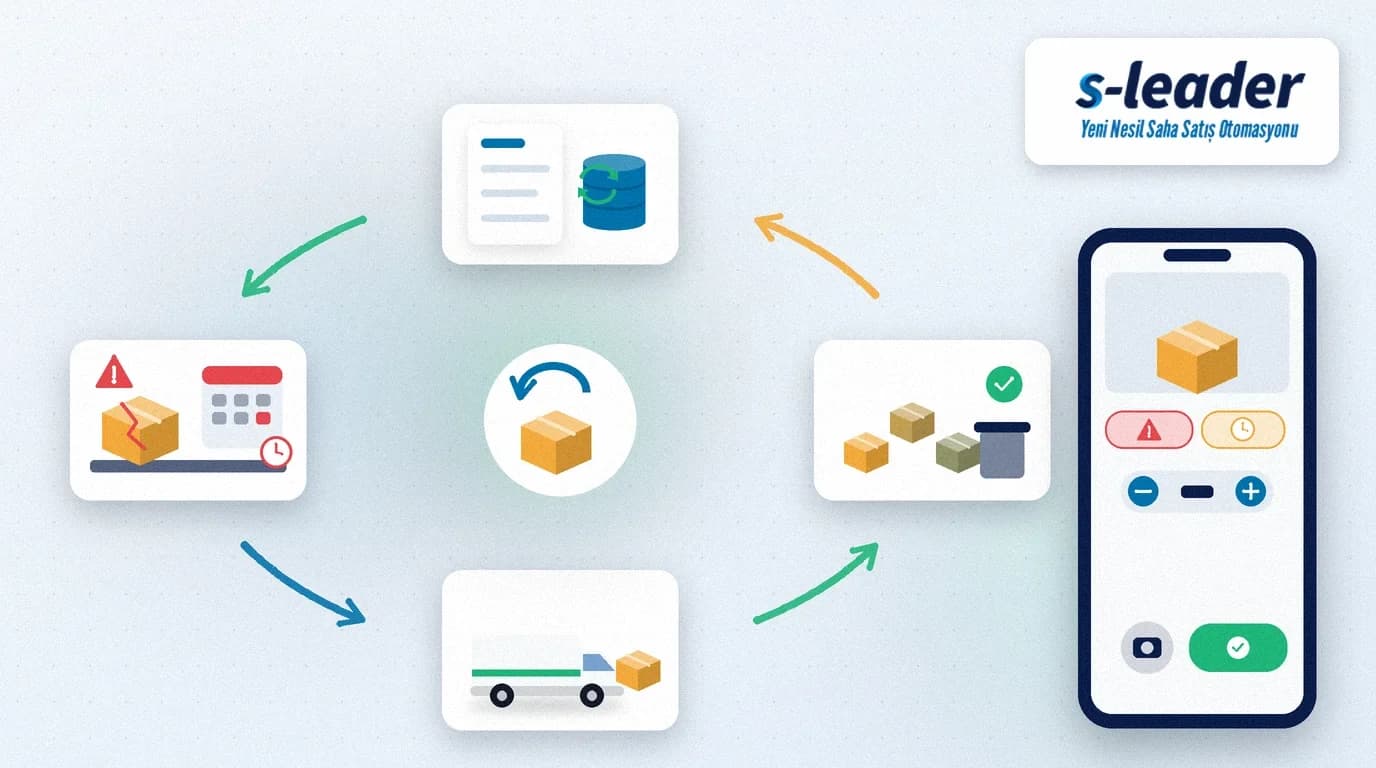
In short: Returns management in field sales means the rep records damaged, expired or wrongly delivered goods taken back from a customer in the mobile app during the visit, with the return reason, quantity, batch/expiry data and a photo, and that the goods' journey back to the depot by van, the warehouse inspection and the credit note posted to the customer's account are all tracked in one flow. The goal is to turn returns from a cost that disappears in paper slips into a process you can measure and reduce.
Every distribution business has returns: a crushed case, an expired product, the wrong item or stock the customer simply could not sell. The problem is not the return itself but how it is handled. The rep writes it in a notebook, the goods ride around in the van for days, the warehouse does not know what is coming and accounting issues the credit note weeks later. In the end the customer balance does not match, the stock count is off and nobody knows which product came back and why.
Quick summary
- Returns are recorded on the phone during the visit with reason, quantity, batch/expiry and a photo.
- Returned goods go into a separate "returns" stock on the van, never into sellable stock.
- The warehouse inspects incoming returns and sorts them into resaleable, scrap or return to supplier.
- An approved return is posted automatically to the customer balance as a credit note.
- Return reasons are reported, and the biggest source of loss is reviewed every month.
Why Are Returns Hard to Manage in Field Sales?
In the office a return is entered with a few clicks. In the field it is taken at the customer's door, often at the end of a busy visit and sometimes in the middle of a tense conversation. The rep wants to take the goods back because they do not want to lose the customer; the company wants to know whether each return is really justified.
Returns management therefore has three core problems: records are incomplete (reason and batch are not written down), tracking breaks (goods get lost between van and depot) and the financial impact is delayed (the credit note comes late, so the customer balance looks wrong). This also hurts field sales collection tracking: the rep hears "you never deducted the goods I returned".
How to Set Up the Returns Process Step by Step
1. Record the return during the visit
The rep opens the customer account, selects the returned product by barcode or from the list, enters the quantity and picks the return reason. Reasons should come from a fixed list: damaged packaging, past expiry date, wrong product, unsold stock, quality issue. Free text makes reporting impossible.
2. Add batch, expiry date and a photo
In food, pharmaceuticals and cosmetics, the batch number and expiry date show which production run or shipment caused the return. A photo of damaged goods settles any later dispute with the warehouse or supplier before it starts.
3. Approve returns by rule
Not every return deserves the same treatment. Returns below a set value can be approved automatically in the field; high-value, frequently repeated or off-contract returns go to the area manager. With a clear rule the rep knows what to tell the customer.
4. Keep returns separate in the van stock
Returned goods go into a separate "returns" stock, not the van's sellable stock, so the rep cannot accidentally sell a damaged item to the next customer. This separation matters most for teams managing van stock in hot selling.
5. Inspect and sort at the warehouse
When the van returns, the warehouse already has the list of returns. The warehouse team counts and checks the goods and sorts them into one of three groups: resaleable, scrap or return to supplier. Any difference between the quantity entered in the field and the counted quantity shows up immediately.
6. Create the credit note automatically
Once the warehouse approves, the return becomes a credit note or return invoice for the customer in the ERP and is posted to the account balance. The customer sees the updated balance at the next visit and the argument disappears.
Preventing Damaged and Expired Returns
The best return is the one that never happens. Most expired returns come from products near their expiry date that nobody noticed on the shelf in time. Add an item such as "products expiring within 30 days" to your merchandising tracking checklist so that rotation, front-facing or promotion decisions are made before a return is created. For damaged goods, reporting reasons by van, depot and product shows whether the problem lies in loading, transport or packaging.
Which Metrics Should You Track?
- Return rate: return value as a share of sales, by product, customer and rep.
- Reason mix: monthly shares of damage, expiry, wrong product and unsold stock.
- Closing time: days from recording the return in the field to the credit note.
- Count variance: difference between the quantity entered in the field and the quantity counted at the depot.
- Recovery rate: share of returns sorted as resaleable.
To track these alongside your other field metrics, simply add the return rate to the set described in our article on field sales team KPIs.
Common Mistakes
- Taking returns on paper slips: slips get lost and reason and batch never reach the system.
- Keeping returned goods in the sellable van stock: damaged items end up with another customer.
- Sending every return through the same approval: small returns are delayed, large ones slip through.
- Issuing credit notes by hand and late: the customer balance is wrong for weeks.
- Never reporting return reasons: the same problem comes back every month.
With S-Leader the rep records returns during the visit with reason, quantity, batch/expiry and a photo; returns are tracked separately in the van stock, sent to the ERP as a credit note after the warehouse check, and every return reason is reported in the BackOffice.
Sıkça Sorulan Sorular
What is the difference between a return and an exchange in field sales?
With a return the goods are taken back and a credit note is posted to the customer balance. With an exchange the damaged item is replaced during the same visit; the balance does not change, but the returned item should still be recorded with reason, quantity and batch.
Should reps be able to approve every return in the field?
No. Returns below a set value can be approved automatically in the field; high-value, frequently repeated or off-contract returns should go to the area manager.
How should returned goods be kept in the van?
In a returns stock that is separate from the van's sellable stock. Damaged or expired goods then cannot be sold to another customer by mistake, and the depot knows in advance how many units are coming back.
How can expired returns be reduced?
Add products nearing their expiry date to the visit checklist and decide on rotation, front-facing or promotions before a return is created. Monthly reporting of return reasons also reveals recurring problems.